I have been trying to solve one problem for a long time: how do I use my phone for the things I want without getting pulled into everything else?
I have tried app blockers, changed my phone settings and deleted apps. At night, I use a K-Safe to lock the whole phone away. During the day, I still had a problem because I sometimes needed the phone.
I bought a Brick, used it once or twice, and then left it sitting there for five months. When I finally found the right use for it, it became one of the most helpful phone tools I own.
I now use it often and give it 9 out of 10. It lets me keep the app I came for while WhatsApp, email, news and social media stay blocked.
I paid for my own Brick. No one paid me to write this, and these are not affiliate links. I have used it at home for months, but I did not run a lab test or measure a screen-time drop. The 9/10 score is my own judgement.
I did not use my Brick for five months
At night, I put my whole phone in a K-Safe. The box stays locked until morning, which is exactly what I want when I am done with the phone for the day.
Brick seemed like a weaker version of something I already owned. It sat unused because I was trying to make it solve the same night-time problem.
The problem I had missed was in the day. I did not always want the whole phone gone. I wanted one useful part of it without opening the door to everything else.
I wanted one app, not the whole internet
I use an app called IFS Guide. I may want to spend half an hour with it. That does not mean I want to spend the next half-hour checking messages, news and social media.
Picking up a phone for one reason can open ten other doors. Brick lets me decide which doors stay shut before I pick it up.
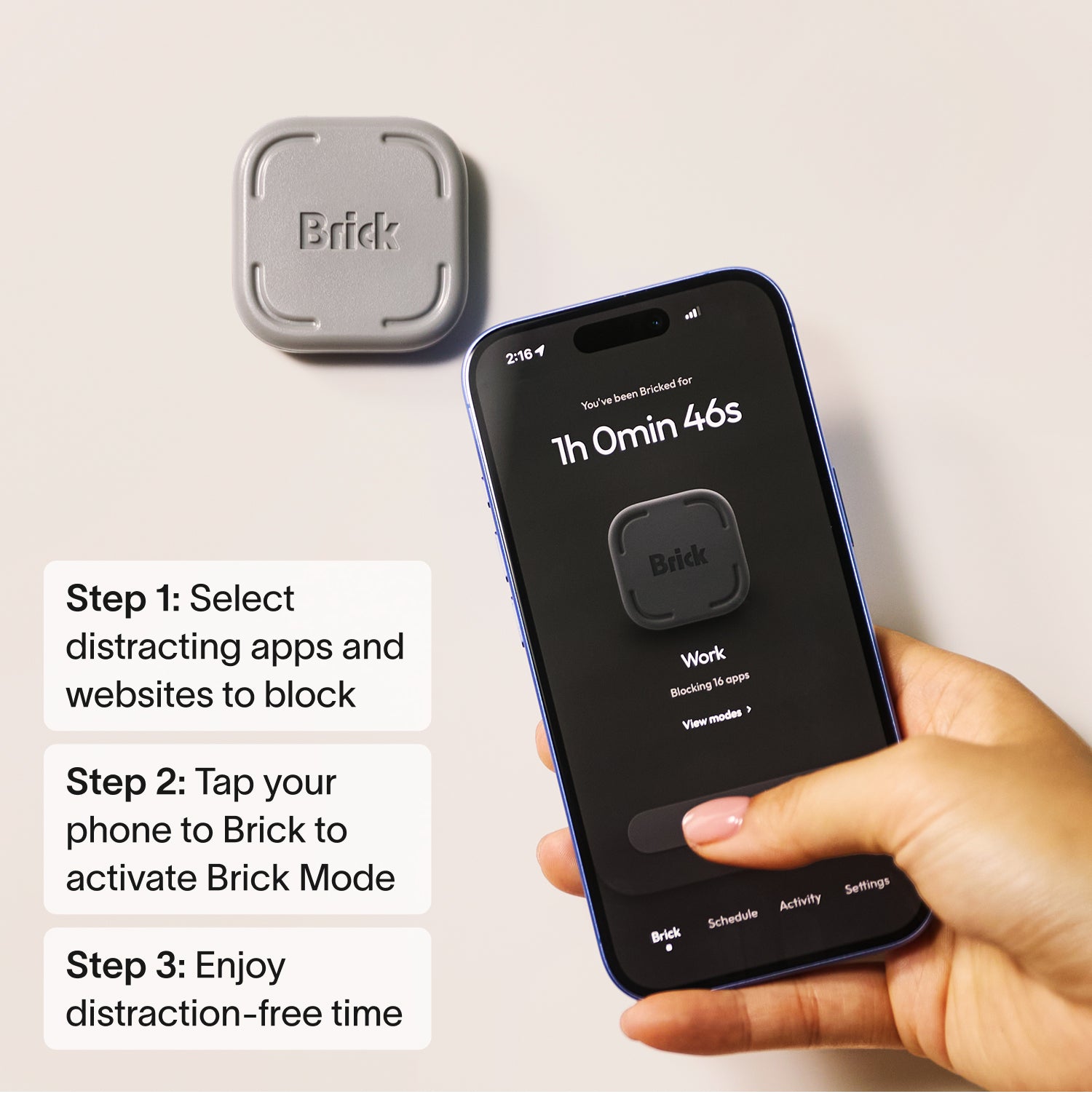
How Brick works
- Choose the apps you want to block.
- Make a mode for work, rest, family time or sleep.
- Tap your phone on the Brick.
- The blocked apps stop opening.
- Tap the Brick again when you want them back.
You can start a block in the app, but you still need the real Brick to end it. That is the point: the way back into the blocked apps does not have to stay in your hand.
These are Brick's current product details, not my test results. Read its FAQ before you buy, because the price and phone list can change.
The walk to my bathroom is the part that helps
I tried app blockers before, but I could turn them off on the same phone. When I wanted to check something, the escape hatch was already in my hand.
My Brick lives in the bathroom medicine cabinet. It is not far away, but I still have to get up, leave the room and open the cabinet.
That short walk breaks the pull. By the time I reach the bathroom, I have had a few seconds to ask whether I need those apps or whether I am acting on habit.
I also keep my Brick modes simple. Each one has a clear job. If I am using IFS Guide, I do not need news or email at the same time.
Placement matters too. If the Brick sat next to my phone, I could undo the block without thinking. The medicine cabinet gives me just enough distance to make a fresh choice.
Brick, K-Safe and free phone limits
Phone limits
Try these first. They cost nothing. They are enough if you do not turn them off.
Brick
Use this when you need some phone apps but want the rest blocked.
K-Safe
Use this when you want the whole phone gone until a set time.
Try the free phone setup guide first. If free settings work for you, there is no reason to buy another object.
What I like and what I do not
What I like
- I can keep the useful parts of my phone.
- The walk is harder to ignore than a warning on my screen.
- I can make a mode for each part of my day.
- There is no monthly fee.
- The Brick needs no battery or charger.
What to know first
- It costs money. Free limits may be enough.
- It will not work with every old phone.
- It has five emergency exits.
- It helps less if you keep it next to your phone.
- It blocks apps. It cannot fix the reason you want to escape.
My only small complaint is the colour. I would prefer another choice, although it matters very little when the Brick spends most of its time inside a medicine cabinet.
Brick will not solve every phone problem
Brick makes sense when normal app limits are too easy to turn off, but some phone tools still need to stay open. It is not needed when free limits already work.
It is also the wrong tool when the whole phone needs to go away. For that, use a timed box such as K-Safe or give the phone to someone you trust.
Brick changes how easy it is to open an app. It cannot fix the reason someone wants to escape into a screen. If phone use is harming sleep, work or close relationships, see the free help and meetings.
Quick questions
Does Brick work?
It works for me because the walk to another room breaks the habit. That does not mean it will work for every person.
Can I get around it?
Yes. Brick gives you five Emergency Unbricks. Strict Mode makes it harder to delete the app or change your list, but Brick is not an unbreakable safe.
Will it work with my phone?
Brick says it works with iOS 17 or newer and Android 12 or newer. Check the current list before you buy.
Is Brick better than K-Safe?
They do different jobs. Brick keeps part of the phone open, while K-Safe locks away the whole phone.
What to do next
Facts checked on 11 August 2026. The price and phone list can change. I bought and used the Brick in this review.

Michael has spent much of his working life online—and much of the rest of it trying to stop that technology taking over. He has thrown a phone into a lake, locked devices in boxes and experimented with long periods offline. He writes about what helped, what failed and how to keep the useful parts of digital life.